- java.lang.Object
-
- MergeSD2FilesGUI
-
public class MergeSD2FilesGUI
extends java.lang.Object
MergeSD2FilesGUI
Summary
- Utility to merge all the sd2 files in a directory into a single file for follow-up analyses.
Operation
MergeSD2FilesGUI opens with an empty panel (below, left). Click "Open..." to open a file chooser showing all the sd2 files in the current directory. Navigate to a desired directory, then select any sd2 file and click "Open" (below, right).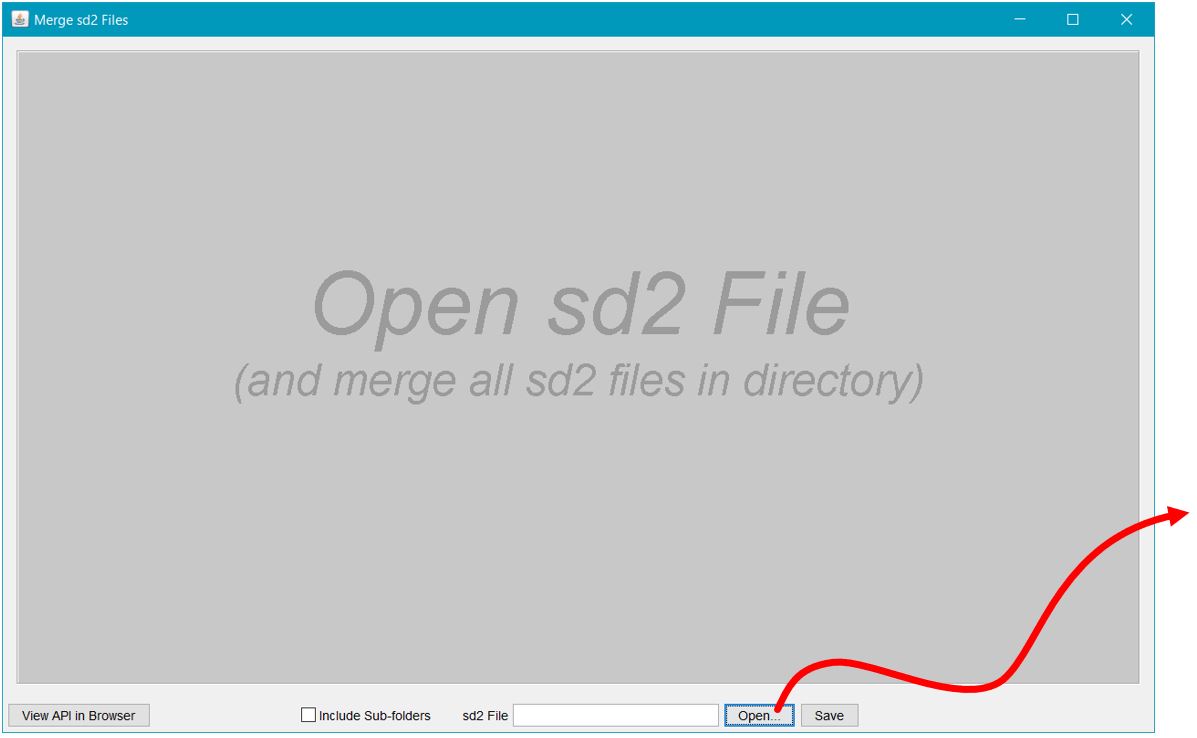

Upon selecting an sd2 file and clicking "Open", MergeSD2FilesGUI reads the data from all the sd2 files in the directory and merges the data into a single rectangular data table. The header line appears just once, in the first row of the data table, and identifies the data in each column. An example is shown below for the sd2 data from an experiment that used an early version of GoFitts called FittsTaskTwo. Click here to view the publication where these data are analysed.
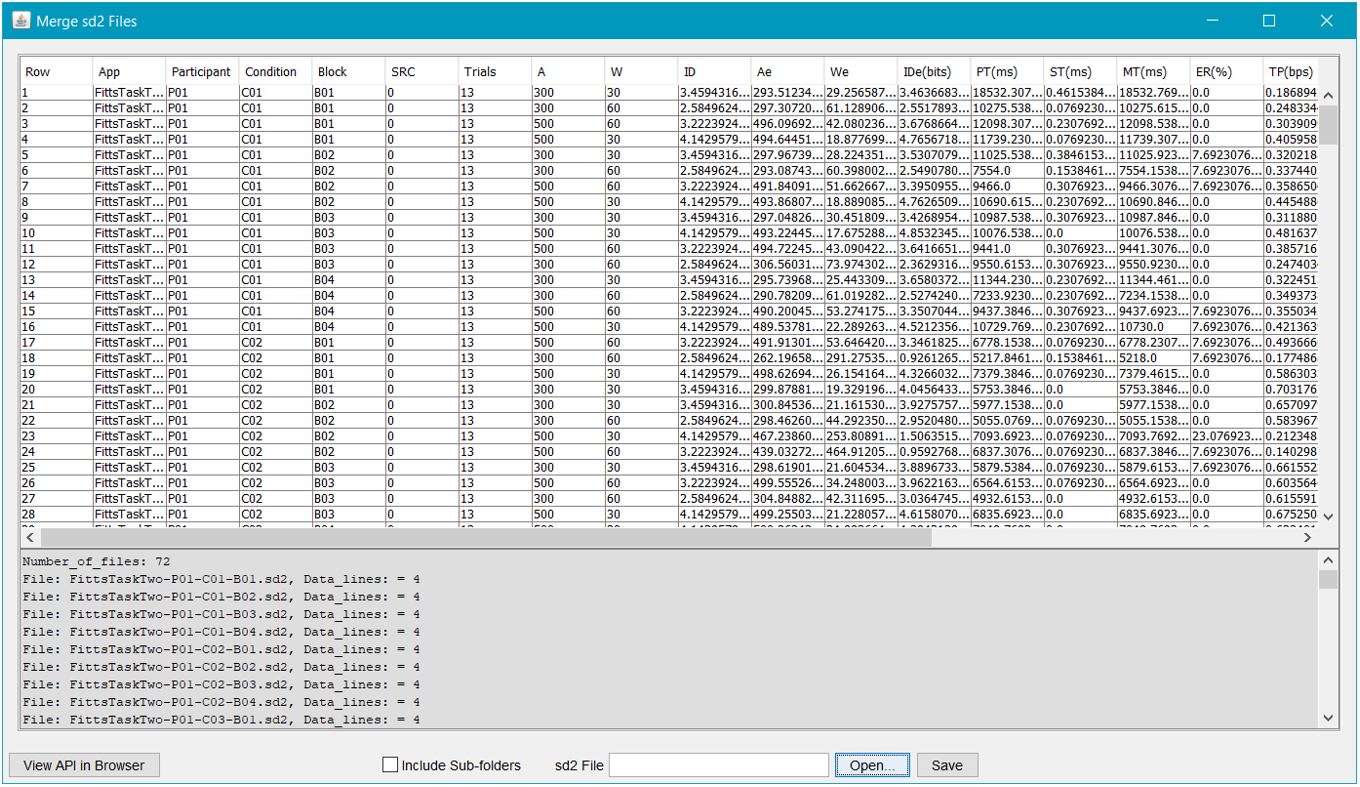
The image above contains two regions. The top region shows the data table. Scrollbars appear for convenient viewing and inspection of the data. The bottom region identifies the files read and the number of lines of data read for each file. In the example, 72 files were read with 4 data lines per file.
The data are saved by clicking "Save" and providing a name for the output data file. Using ".csv" as the filename suffix facilitates importing into Excel where the fun begins!
Include Sub-folders
If the "Include Sub-folders" checkbox is selected, the app will recursively traverse sub-folders to locate and merge sd2 files. This option is useful if the data are organized in sub-folders, for example, with each sub-folder holding the data files for a separate participant. However, you must select an ".sd2" file in the parent directory to begin the merge process. If necessary, create such a file, perhaps called "dummy.sd2." The dummy file should contain one line only — the header line from any sd2 file.- Author:
- Scott MacKenzie, 2017-2023
-
-
Constructor Summary
Constructors Constructor and Description MergeSD2FilesGUI()
-
Method Summary
All Methods Static Methods Concrete Methods Modifier and Type Method and Description static voidmain(java.lang.String[] args)
-