|
1
|
- Pat Hall (York), Jordan Raddick, Ani Thakar (JHU)
- Alex Szalay, Maria Nieto-Santisteban, Nolan Li,
- Wil O’Mullane, Adrian Pope, Tamas Budavari, George Fekete,
- Sam Carliles
- JHU
- Brian Yanny, Svetlana Lebedeva
- FermiLab
- Jim Gray
- Microsoft Research
|
|
2
|
- Legacy
- Continuation of SDSS-I (completion of 8500 sq.deg.)
- Completeness is same as for SDSS-I
- Flux limits are the same
- Target all galaxies with r_petro < 17.77, plus LRGs, quasars, …
- SEGUE
- Sparse-sampled 3-d map of the Galaxy
- Spectra of 240,000 stars in the disk and spheroid
- Age, composition and phase space distribution
- CAS component cataloged in SegueDRx DB
- Supernova Survey
- Repeated scans of SDSS Southern Stripe over 3 months/yr
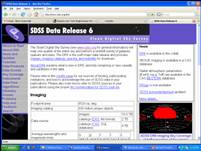
- Data not available in CAS yet, will be on DAS soon
|
|
3
|
- Data Archive Server (DAS)
- FITS files (raw data)
- Images, spectra, corrected frames, atlas images, binned images, masks
- Online form-based access
- Rsync and wget file retrieval
|
|
4
|
- BestDRx (DR5 now, DR6 later this summer)
- Latest, greatest calibration of the data
- Photometric and spectroscopic objects
- The default and most accessed (by far) dataset
- TargDRx
- The calibration from which spectroscopic targets were chosen
- RUNS
- All the runs (processings) other than Best, Target
- SegueDRx
|
|
5
|
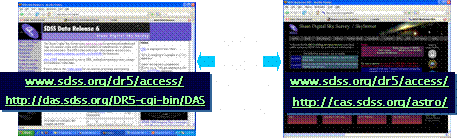
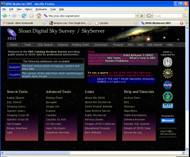
- http://www.sdss.org
- Click on `Data Products’ – has someone already done your work for you?
- If not, click on ‘Data Access’ for links to both CAS and DAS: http://www.sdss.org/dr5/access/
- Or CAS SkyServer: http://cas.sdss.org/astro/
- Search Tools
- Advanced Tools, including visual tools & CasJobs
- Help and Tutorials
|
|
6
|
- SkyServer
- Web browser is all you need
- Meant to support several levels of users: http://cas.sdss.org/astro/ | http://skyserver.sdss.org/
- Visual tools to browse image and catalog data
- Command-line application programming interfaces: emacs, sqlcl …also see
http://cas.sdss.org/astro/en/help/docs/api.asp
- Strict limits on execution time and output size … always test-drive
your query (‘quick’ or ‘top 100’)!
|
|
7
|
- Major sections linked from main page
- http://cas.sdss.org/astro/
|
|
8
|
- http://cas.sdss.org/astro/en/help/cooking/
- How do I get an image, spectrum, and other info for my favorite object
in the SDSS area? http://cas.sdss.org/astro/en/help/cooking/general/getimage.asp
- Are the SDSS data for a given object reliable?
- Consult the object’s flags to
find out. http://cas.sdss.org/astro/en/help/cooking/general/flags.asp
|
|
9
|
- Search for data that meets certain criteria
- Return matching data, and only matching data
- Example: search for galaxies
with spectra in Abell 168
- RA = 18.84, Dec = 0.26,
radius = 3 arcmin
- Limit to galaxies g < 18
- Return RA, Dec,
magnitudes, redshift
|
|
10
|
- http://cas.sdss.org/astro/en/tools/search/IQS.asp
- Tools ->
Imaging
Query
- Constraints
by position
or imaging
- Get data as
HTML or
CSV
- For actual images, save as CSV & upload to DAS retrieval form
|
|
11
|
- SQL – computer language for searching databases
- Advantages
- You get longer queries and more results returned
- You can write more complex queries
- You can use command-line tools
|
|
12
|
- Data are stored in a database
- Similar data types are stored in tables: photoObj (photometry), specObj
(spectroscopy), etc.
- A request to a database to return data is called a query
- Queries usually request data that meets certain constraints
|
|
13
|
- Languages have grammar and vocabulary
- Dutch grammar
- In sub-clause, verb goes at the end
- English:
- I think that astronomy is fun.
- Dutch:
- Ik denk dat het sterrenkunde leuk is.
|
|
14
|
- Select – choose which columns of data you want to see
- From – choose the table(s) from which you want to retrieve data
- Where – set constraints on the search
|
|
15
|
- Go to Help -> Schema Browser
- http://cas.sdss.org/astro/en/help/browser/browser.asp
|
|
16
|
- Go to Help -> Sample SQL Queries
- Go to Search Tools -> SQL Search
- Copy, paste, modify
|
|
17
|
- http://cas.sdss.org/dr5/en/tools/chart/list.asp
- Go to
Advanced
Tools ->
Image List
- ‘Use query
to fill form’
- Query
must have:
select
x, ra, dec
- from …
- [where …]
|
|
18
|
- Go to Search Tools -> CasJobs
- Best method for long or complex queries
|
|
19
|
- Register
and log in
- Quick
mode: 1
minute
- Submit:
24 hours
- Results
stored in
MyDB
|
|
20
|
- MyDB database to save results of your queries
- Define your own functions, procedures too
- Share your tables with collaborators (groups)
- History of
- Output data as FITS/CSV/VOTable
- Plot data in browser
- Table Import (upload) for your own data
- Groups to share your results with collaborators
- Command-line access Java tool also downloadable
|
|
21
|
- Shares SQL Intro, Schema Browser with SkyServer
- Has its own FAQ page
- Lists differences between CasJobs and SkyServer due to distributed
query execution
- Advanced CasJobs Queries page
- Neighbor searches with fixed and variable search radii
- Cursors
- Compound queries
|
|
22
|
- Do not submit a query unless you have some idea how long it will take!
- It could tie up the server for hours (even days)!
- Use “select count(*)” or “select top 10” instead
- Or try “quick” first, to see if it can be done quickly
- Do use predefined views for commonly-used objects and parameters
- PhotoObj, PhotoPrimary for photometry
- PhotoTag if you only need popular fields
- SpecObj for spectra
|
|
23
|
- Schema
Browser
- FAQ
- Glossary – of
SDSS terms
- Algorithms
- Helpdesk
- (use contact link,
- not direct e-mail)
|
|
24
|
- Extensive education content in SkyServer
- Use Projects link on the menu at the top
- K-12 and college level student exercises and teacher resources
- Go to public site – http://cas.sdss.org
- Go to Projects
- Great as labs for intro classes
|
|
25
|
- When you want to browse images, or when you know a position…
- ToolsÞVisual ToolsÞ
- Find images and data: Navigate
- Browse objects one at a time: Explore
- Find objects on a frame, compare your own observations: Finding Chart
- View multiple objects or thumbnail search results: Image List
|
|
26
|
- When you don’t know specific objects…
- ToolsÞSearchÞ
- Find objects in a patch of sky: Radial or Rectangular
- Simple search for imaging data: Imaging Query Form
- Simple search for spectral data: Spectro Query form
- More sophisticated searches: SQL
- Long, complex queries: CasJobs
|
|
27
|
- When you have a list of objects, and you want to see what SDSS knows
about them…
- ToolsÞObject CrossidÞ
- Imaging crossid: Upload
- Spectro crossid: SpecList
|
|
28
|
- When in doubt, consult website or publications:
- http://www.sdss.org/publications/#technical
- http://www.sdss.org/publications/#data%20release … especially EDR paper
(Stoughton et al)
- The SDSS can function as a data pipeline, but not as a science
pipeline. You will have to decide
what magnitudes are best for your science, what flag values to use to
accept or reject objects, etc.
- Try the queries on the next few pages, or at http://cas.sdss.org/astro/en/help/cooking/
|

 Notes
Notes